
Server and Storage Solutions in Delhi NCR and India
A server is the one machine in an office that nobody looks at until it stops. It sits in a corner, runs quietly for years, and holds everything the business depends on. Then one morning a drive fails, and suddenly nobody can open a file.
Dream-N-Drive Pvt Ltd works as a server dealer in Delhi NCR and server supplier in Delhi NCR for businesses that would rather not find out how much they depend on that machine. We supply, set up and maintain servers and storage for offices across Delhi NCR and the rest of India.
Our range covers rack servers, tower servers, tested refurbished servers, NAS storage, SAN storage, enterprise drives, backup systems and complete server room setup. We supply HP, Dell, Lenovo, Synology and QNAP, and we tell you honestly which one fits your work rather than which one carries the best margin. Whether you want to buy server in Delhi NCR as a new purchase or need a server for office in Delhi NCR on a tighter budget, we work from the same honest process either way.
Does Your Business Actually Need a Server?
This question gets skipped far too often. Someone decides the office needs a server, a quotation gets approved, and a machine arrives that nobody fully uses. So it is worth being direct about when a server is actually needed and when it is not.
You probably need one if several people share the same files daily, if your accounting or ERP software needs a central database, if you want proper control over who can open what, or if backups currently live on someone's external drive. You may not need one yet if you have four people, everything sits in cloud services, and nothing runs locally.
There is also a middle path many businesses miss. A NAS storage device handles shared files and backups at a much lower cost than a full server. If file sharing is the only real requirement, a NAS often does the job properly.
If budget is the main constraint rather than needing a server specifically, our wider range of refurbished laptops, desktops, workstations, servers and printers is worth comparing before you decide.
Types of Servers We Supply in Delhi NCR
Four broad categories cover almost every business requirement. The right one depends on space, load and budget. We work as both a tower server dealer Delhi NCR businesses turn to first and a rack server dealer Delhi offices need once they outgrow a single machine. Most offices start with a tower unit and move to rack mounted hardware as they grow. Refurbished units suit tight budgets, while virtualization hosts make sense once a business needs several servers running together under one roof.
Servers are one part of a wider setup. For everything else your office runs on, our full IT hardware sales range covers laptops, desktops, networking gear and printers alongside what is listed here.
Tower Servers
Stand upright like a desktop cabinet. No rack needed. Ideal for small offices running one or two servers. Quiet enough to sit in a normal room and easy to expand later.
Rack Servers
Flat units that slide into a standard rack. Save space when you run several servers together. The usual choice once a business outgrows one or two machines.
Refurbished Servers
As a refurbished server dealer Delhi NCR businesses trust for tested pre-owned units, we replace parts where needed and back every unit with a warranty. Cost far less than new and suit businesses needing capacity without heavy spend.
Virtualization Hosts
Stronger machines built to run several virtual servers at once. One good box replaces four weaker ones, cutting cost, power draw and rack space.
HP, Dell and Lenovo Server Models We Supply
These three brands cover the large majority of HPE ProLiant server India, Dell PowerEdge server India and Lenovo ThinkSystem server India deployments sold today. Below is the current range we supply, with what each family actually suits. As an HP server dealer in Delhi NCR, Dell server dealer Delhi NCR and Lenovo server dealer Delhi NCR, we supply all three and stay neutral about which you choose.
HPE ProLiant ML Series
Tower servers including ML30 Gen11, ML110 Gen11 and ML350 Gen11. The ML30 suits small offices running file sharing and accounting software. The ML350 handles heavier virtualization work. All support hot-swap drives and HPE iLO remote management.
HPE ProLiant DL Series
Rack servers including DL20 Gen11, DL320 Gen11, DL360 Gen11 and DL380 Gen11. The DL360 and DL380 are the most widely deployed rack servers in Indian offices, supporting large memory, multiple drives and full redundancy.
HPE ProLiant MicroServer
The compact MicroServer Gen11 is built for very small offices and branch locations. It takes up little space, draws low power and handles file sharing, small databases and backup duties without needing a dedicated server room.
Dell PowerEdge T Series
Tower servers including T150, T350, T550 and T560. The T150 is a common first server for small businesses. The T550 and T560 handle virtualization and heavier database work. All include Dell iDRAC for remote management.
Dell PowerEdge R Series
Rack servers including R250, R350, R450, R550, R650 and R750. The R650 and R750 are widely used for virtualization and databases in mid-sized companies, with high memory capacity and redundant power supplies.
Dell PowerEdge XR & C Series
The XR range is built for harsh conditions such as factory floors and remote sites, tolerating dust and wider temperatures. The C series suits dense computing where many nodes are packed into limited rack space.
Lenovo ThinkSystem ST Series
Tower servers including ST50 V3, ST250 V3 and ST650 V3. The ST50 is an affordable entry point for small offices. The ST650 supports large memory and many drives for businesses running virtualization on a tower form factor.
Lenovo ThinkSystem SR Series
Rack servers including SR250 V3, SR630 V3, SR650 V3 and SR850 V3. The SR630 and SR650 are the volume models for Indian data centres, known for strong thermal design and Lenovo XClarity management.
Lenovo ThinkSystem SD & SE
The SD range packs multiple nodes into one enclosure for high density computing. The SE edge range is compact and rugged, built for retail outlets, branch offices and locations without a proper server room.
How to Choose the Right Server for Your Office
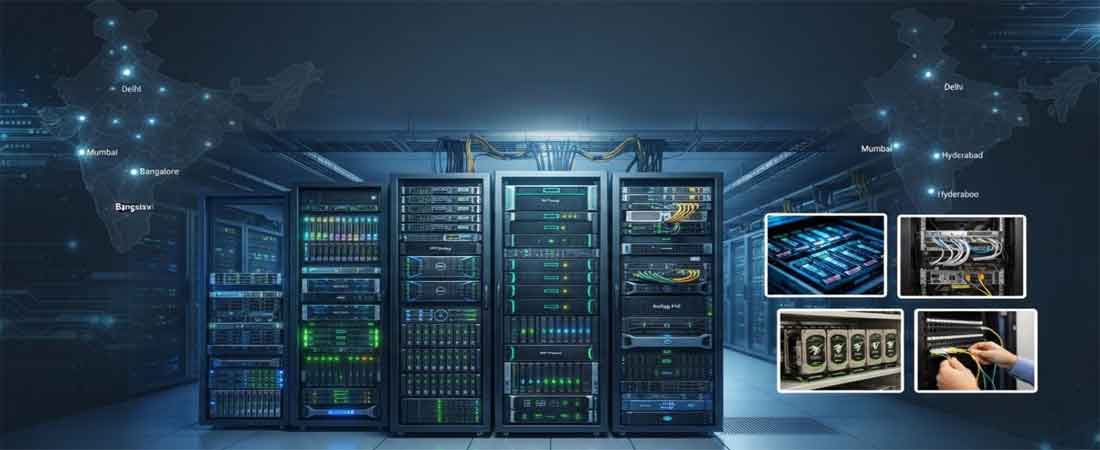
Four things decide the specification. Get these right and the rest follows. Everything else on a server quotation is detail around these four decisions. Most businesses spend too much on one of them and too little on another, usually paying for processor power they never use while fitting memory that runs short within a year. Working through them honestly, against what the server will actually run, produces a machine that fits the business rather than the price list. The question we hear most often is simply which server is best for small business India-wide, and the honest answer is that it depends on user count and workload rather than any single model.
Processor and Cores
More cores let a server handle more tasks at once. A file server needs very little. A server running several virtual machines needs plenty. Most small offices are well served by an entry processor, and paying for more here is the most common overspend we see.
Memory (RAM)
This is where businesses under-buy most often. Virtualization in particular is memory hungry, and adding memory later usually means downtime. It is far cheaper to fit enough at the start than to open the machine again in a year.
Storage and RAID
Drive count matters as much as total capacity, because RAID needs several drives to protect your data. We plan capacity for at least three years, since almost every business we work with underestimates how fast its data grows.
Redundancy
Dual power supplies and hot-swap drives let a server keep running when one part fails. Whether you need this depends on how much a few hours of downtime actually costs your business. For some it is essential, for others it is not.
NAS and SAN Storage Solutions Explained
Storage confuses buyers because the two main options sound similar and are sold differently. The distinction is actually simple, and getting it right matters for anyone comparing enterprise storage solutions India-wide before committing budget to either option.
A NAS plugs into your normal office network and shares folders directly with users. People see it as a network drive on their computer. It handles file sharing, backups and media storage well, and it is straightforward to set up. This is what most offices actually need.
A SAN works at a deeper level. It gives servers raw storage space rather than shared folders, which suits databases and virtual machine environments where speed matters. It costs more and needs more expertise, so it belongs in larger setups rather than a typical office.
If you are unsure which fits, our guide on choosing the right server for your business covers this in more detail.
Synology and QNAP NAS Storage Models
These two brands dominate business NAS in India. As the NAS storage dealer Delhi NCR businesses call first, working as both a Synology NAS dealer Delhi NCR and a QNAP NAS dealer India relies on, we supply the full range from small desktop units to rack mount systems. Both run mature software with strong backup tools built in, so the choice usually comes down to how much hardware you want for the price against how simple you want the software to be.
Synology DiskStation Desktop
Models including DS223, DS423, DS723+, DS923+ and DS1522+. Two to five drive bays for offices needing shared files and backup. The plus models add more memory and expansion, and all run Synology DSM which is the easiest NAS software to manage.
Synology RackStation
Rack mount models including RS422+, RS822+, RS1221+ and RS2423+. Built for businesses that already run a server rack and want storage in the same place. Support higher drive counts, redundant power and expansion units.
Synology Backup Range
Including Active Backup for Business running on DiskStation units, and the dedicated BeeStation for very small setups. Active Backup protects servers, PCs and Microsoft 365 data at no extra licence cost, which makes it strong value.
QNAP TS Series Desktop
Models including TS-233, TS-464, TS-664 and TS-873A. Two to eight bay desktop units. QNAP tends to offer stronger hardware at similar price points, with more ports and PCIe expansion for network or cache cards.
QNAP TS Rack Series
Rack models including TS-1273AU-RP, TS-1683XU-RP and TS-h1290FX. Designed for higher capacity and continuous use, with redundant power on RP models and all-flash options where speed matters more than capacity.
QNAP TVS & QuTS Range
The TVS series adds stronger processors and multimedia capability. QNAP's QuTS hero operating system uses ZFS for better data integrity and deduplication, suited to businesses storing large volumes of important data.
Enterprise Drives for Servers and NAS
Desktop drives fail early in servers because they are not built to run continuously. These are the drive types we supply for business use. Enterprise drives are rated for constant operation, handle the vibration of multi-bay enclosures, and carry longer warranties. The price difference looks significant on paper, yet a single failed drive taking a server offline for a day usually costs far more than the saving.
SAS HDD
Built for continuous server duty with high reliability ratings.
SATA HDD
Enterprise SATA drives for bulk capacity at lower cost per TB.
NAS HDD
Tuned for NAS vibration and 24x7 operation in multi-bay units.
SAS SSD
Fast solid state drives for databases and heavy read workloads.
NVMe SSD
Highest speed option for virtualization and demanding applications.
Cache SSD
Small fast drives that speed up a NAS without full SSD cost.
Data Backup and Disaster Recovery Solutions
Most businesses believe they have backups. Fewer have working ones. The usual pattern is a backup job set up years ago that quietly stopped running, discovered only when someone actually needs to restore something.
A sound approach keeps three copies of your data, on two different types of storage, with one copy somewhere else entirely. That last part matters most. A backup sitting next to the server it protects does not survive fire, theft or ransomware.
We set up data backup solutions Delhi NCR businesses can rely on and disaster recovery solutions Delhi NCR-wide, covering server backup to NAS, offsite or cloud copies, scheduled restore testing and documented recovery steps. Restore testing is the part almost everyone skips, and it is the only way to know a backup actually works.
Our server backup solutions India-wide follow the same three-copy standard regardless of city, so a branch office in another state gets the same protection as head office in Delhi NCR.
Server Virtualization Services in India
Virtualization lets one physical machine run several separate servers. Instead of buying four boxes for four jobs, you buy one stronger machine and divide it. Each virtual server behaves as if it were its own computer.
The savings are real. Fewer machines means less hardware cost, less power, less rack space and fewer things to maintain. Recovery also improves, because a virtual server can be restored to different hardware far more easily than a physical one.
We handle sizing, licensing, setup and migration for server virtualization services India-wide using VMware and Microsoft Hyper-V. Sizing is the part that matters most, since an underpowered host makes every virtual machine on it slow.
Server Room Setup in Delhi NCR
Server room setup Delhi NCR businesses ask for is not just a room with servers in it. Heat, power and cabling decide whether the equipment inside lasts its full life or fails early.
- Racks and mounting — correct rack sizing with proper rail kits and airflow clearance around every unit
- Structured cabling — labelled, routed cabling that can be traced later without guesswork
- Power and UPS — sized power distribution with battery backup that actually holds long enough for a clean shutdown
- Cooling — adequate cooling for the heat your equipment produces, which is the single most common oversight
- Physical security — access control so the room is not open to everyone in the building
This work sits alongside our networking solutions, since server room cabling and office networking are usually planned together.
Server Installation and Migration Services
Supplying a server is straightforward. Setting it up correctly decides whether it serves you well for five years or causes problems from month one.
Our server installation services Delhi NCR cover physical mounting, operating system installation, RAID configuration, network setup, user accounts and permissions, application installation, backup configuration and remote management setup. Every deployment ends with documentation of how the system is built.
For businesses replacing an existing server, we plan the migration properly. We review what is currently running, move data and settings, run old and new together briefly, and switch over during a quiet window so daily work continues normally.
Server AMC and Maintenance Services in Delhi NCR
Servers run continuously, which means they age continuously. Drives wear out, fans clog with dust, firmware falls behind, and backup jobs fail silently. None of this announces itself until something breaks.
Our server AMC services Delhi NCR businesses renew year after year, also offered as standalone server maintenance services Delhi NCR for anyone not ready for a full annual contract, cover scheduled health checks, RAID and drive monitoring, firmware updates, physical cleaning, backup verification, performance review and priority response when a fault occurs. Drive monitoring matters most, because a failing drive usually gives warning signs long before it dies.
This forms part of our wider AMC services in Delhi NCR, so servers, storage, networking and general IT stay with one accountable team.
Who We Supply Servers and Storage To
Businesses We Work With
IT and software companies running development and test environments. Manufacturing units storing production and ERP data. Healthcare centres holding patient records. Educational institutions running campus systems. Accounting and legal practices with strict retention needs. Retail chains consolidating data from multiple outlets into one place.
Why Businesses Choose Us
We size servers against real workload rather than selling the largest configuration. Every unit is genuine with proper warranty registration, and refurbished units are clearly described including their age. We are based in Nehru Place so site visits happen quickly, and we quote transparently with no charges appearing later.
Get a Server and Storage Quotation
Tell us how many users you have, what the server needs to run, and roughly how much data you hold. We will suggest a configuration that fits and explain why. If a NAS would serve you better than a server, we will say so.
For an honest server price in Delhi NCR, share your requirement over call or WhatsApp and we will quote a configuration with no hidden charges added later.
We work on site across Delhi NCR including Nehru Place, South Delhi, Okhla, Noida, Gurgaon, Faridabad and Ghaziabad, and supply servers and storage to businesses across India.
📞 +91-9690159393
📧 info@dreamndrive.net
📍 403/5, Ashok Bhawan-93, Nehru Place, New Delhi - 110019